Best AI Courses for .NET Developers in 2026: What Experienced Developers Should Learn
If you’re a .NET developer, you’ve probably asked yourself some version of this question over the last year: Do I need to abandon everything I know and start over to work in AI?
The honest answer is no.
You already know C. You already know ASP.NET Core, Web APIs, databases, authentication, cloud deployment, and how to build and ship enterprise-grade applications. That’s not baggage you need to leave behind to move into AI -it’s the foundation you build on top of.
AI is becoming a standard part of modern application development, the same way cloud computing and microservices did a decade ago. The developers who will benefit most aren’t necessarily the ones learning AI from a blank slate -they’re the experienced backend and full-stack developers who can combine generative AI, large language models (LLMs), AI APIs, retrieval-augmented generation (RAG), embeddings, vector databases, and AI agents with engineering skills they’ve already spent years building.
This guide walks through why AI matters for experienced .NET developers in 2026, what you can actually build once you learn it, the specific AI skills worth prioritizing, and what to look for in an AI course so you invest your time well.
Why Should Experienced .NET Developers Learn AI in 2026?
Most AI courses are built for people with no software background -they spend the first several weeks teaching programming fundamentals. If you’re a .NET developer, that’s not your problem. You’ve already solved it.
What you bring to AI development that a beginner doesn't:
- API design and integration -Calling an LLM API isn’t conceptually different from calling any third-party REST API, something you’ve done dozens of times.
- Backend architecture -Knowing how to structure services, manage state, and handle scaling means you can build AI features that are production-ready, not just proof-of-concept demos.
- Databases -Vector databases and embeddings are a natural extension of the database knowledge you already have.
- Authentication and security -AI features that touch business data need the same access control and security discipline as any other enterprise feature. You already think this way.
- Cloud and DevOps experience -Deploying and scaling AI-powered services on Azure, AWS, or containers is an extension of skills you use every day. Enterprise application context -You understand real business workflows, which is exactly where AI creates the most value: internal tools, customer support, document processing, and automation.
A beginner learning AI has to learn to code and learn AI concepts at the same time. As an experienced .NET developer, you only have one thing left to learn: how to apply AI to the systems you already know how to build. That’s a much shorter path.
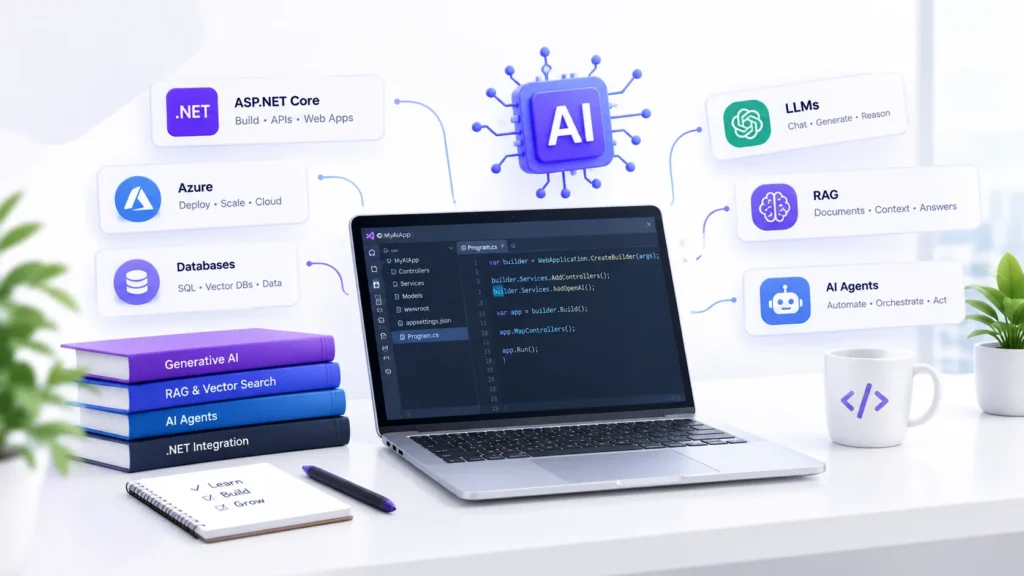
Why Learning AI Alongside .NET Makes Sense
The framing that trips a lot of experienced developers up is treating this as a choice: .NET or AI. It isn’t. The more useful framing is .NET + AI.
AI doesn’t usually replace your existing stack -it extends it. In practice, this looks like:
- Adding a conversational AI assistant to an existing .NET application
- Connecting an LLM to a C Web API so it can reason over your application’s data
- Building a RAG-based application that lets users ask natural-language questions against internal documents
- Adding semantic search to replace brittle keyword search in an existing product
- Building AI-powered customer support on top of your current support ticketing system
- Creating AI agents that call your existing backend services and APIs to complete multi-step tasks
None of this requires rewriting your application in Python or abandoning ASP.NET Core. It requires learning how AI components -models, embeddings, vector stores, agent frameworks -plug into the architecture you already know.
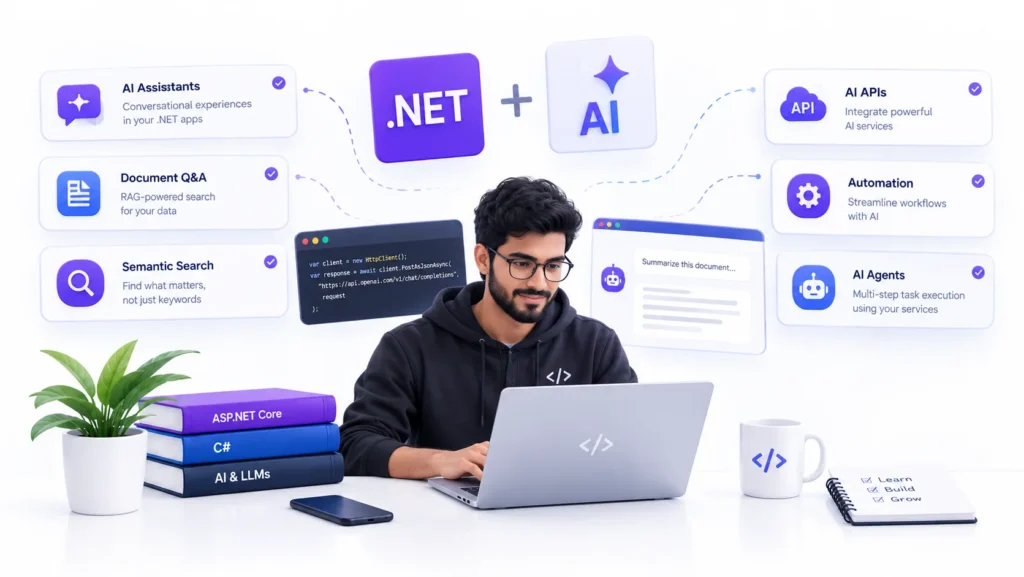
What Can .NET Developers Build With AI?
Here’s what this looks like in practice, translated into things you’d actually ship.
- AI Assistants
You can integrate a conversational interface directly into an existing .NET application -a support widget, an internal tool assistant, or a guided workflow -by connecting your backend to an LLM API and feeding it the right context. - Document Q&A
Using RAG (retrieval-augmented generation), you can let users ask questions in plain language against business documents -contracts, manuals, reports -instead of making them search manually. Your existing database and file-storage knowledge maps directly onto this. - Semantic Search
Traditional keyword search misses a lot of what users are actually looking for. Embeddings and vector databases let you build search that understands meaning, not just matching text -a meaningful upgrade to product or content search you may already maintain. - AI-Powered APIs
Your existing Web APIs can be enhanced with AI capabilities -summarization, classification, sentiment analysis, or content generation -without a ground-up rebuild. You’re extending endpoints you already own. - Intelligent Automation
Repetitive backend workflows -data entry, report generation, categorization -are strong candidates for AI-assisted automation, often with immediate, measurable time savings for the business. - AI Agents
Agents go a step further than a single AI call: they can reason through multi-step tasks, call your APIs and backend services in sequence, and complete workflows with minimal human input. For a developer who already understands service orchestration, this is a natural next skill.
AI Skills Every .NET Developer Should Learn
A practical roadmap, not a theory course. Here’s what to prioritize:
- Generative AI
What it is: AI models that generate text, code, or content based on a prompt.
Why it matters: It’s the foundation almost every other AI skill builds on.
Practical use: Auto-generating documentation, summaries, or draft content inside an existing app. - Large Language Models (LLMs)
What it is: The models (like GPT-class models) behind generative AI applications.
Why it matters: Understanding how LLMs work helps you use them reliably rather than treating them as a black box.
Practical use: Choosing the right model and settings for a customer-facing feature. - AI APIs
What it is: Hosted APIs that let you call AI models without training or hosting them yourself.
Why it matters: This is the fastest, lowest-risk way to add AI to a .NET application -it’s just another HTTP integration.
Practical use: Calling an AI API from a C Web API to power a new feature. - Prompt Engineering
What it is: The practice of designing inputs that reliably get useful, consistent outputs from an AI model.
Why it matters: Poor prompting causes most of the “AI doesn’t work well” complaints developers run into.
Practical use: Writing structured prompts and system instructions that produce predictable, parseable output your app can use. - Retrieval-Augmented Generation (RAG)
What it is: A technique for grounding AI responses in your own business data instead of relying only on the model’s training.
Why it matters: RAG is how you make AI answer questions about your documents, products, or knowledge base accurately.
Practical use: Building an internal knowledge assistant that answers employee questions from company documentation. - Embeddings
What it is: Numerical representations of text that capture meaning, used to compare and search content.
Why it matters: Embeddings are the backbone of semantic search and RAG.
Practical use: Converting your product catalog or knowledge base into embeddings for smarter search. - Vector Databases
What it is: Databases purpose-built to store and search embeddings efficiently.
Why it matters: If you already understand relational and NoSQL databases, this is a natural, incremental addition to your toolkit.
Practical use: Storing document embeddings for fast semantic retrieval in a RAG pipeline. - AI Agents
What it is: AI systems that can plan, make decisions, and call tools or APIs to complete tasks.
Why it matters: Agents extend AI from “answering questions” to “getting things done” inside your existing systems.
Practical use: An agent that checks inventory via your API, drafts a reorder request, and routes it for approval. - AI Application Development
What it is: The end-to-end practice of designing, building, and shipping applications with AI features.
Why it matters: This ties every individual skill above into something you can actually deploy.
Practical use: Shipping a complete AI-powered feature -not just a prototype -inside a real application. - AI-Powered Backend Systems
What it is: Backend architecture designed to support AI workloads reliably -handling latency, cost, retries, and data flow around model calls.
Why it matters: This is where your .NET backend experience gives you a genuine edge over developers coming from a purely AI/data-science background.
Practical use: Designing a backend that queues, caches, and monitors AI API calls the same way you would any other critical external dependency.
What Should a .NET Developer Look for in an AI Course?
Not all AI courses are built for people who already know how to code. Here’s what to prioritize as an experienced developer.
- Practical Projects
You should be building working applications -not just watching lecture videos. Look for courses where you leave with something deployable, not just notes. - Industry-Relevant Technologies
The curriculum should reflect current, real-world AI development workflows -modern LLM APIs, RAG pipelines, vector databases, and agent frameworks -not outdated or purely academic material. - A Path That Builds on What You Know
The best courses for experienced developers don’t start from zero. Look for programs explicitly designed for developers with existing backend, API, or software engineering experience, so you’re not re-learning fundamentals you already have. - Depth on Production Concerns
Anyone can call an AI API in a demo. Look for courses that also cover reliability, cost management, latency, and security -the concerns that separate a prototype from something you can actually ship. - Structured Mentorship or Support
AI tooling changes quickly. A course with access to instructors, peer discussion, or mentorship helps you get unstuck faster than working through documentation alone. - A Realistic Time Commitment
As a working developer, you need a program that respects your schedule -structured enough to keep you moving, flexible enough to fit around a full-time job.
Where Sidillus Fits In
If you’re looking for a structured way to build these skills rather than piecing them together from scattered tutorials, Sidillus PRIME AI is built specifically for developers in this position -experienced engineers who want to add generative AI, RAG, and AI agent skills on top of the backend and API experience they already have, rather than start over in a new field. It’s one option worth evaluating alongside whatever else you’re considering, using the checklist above.
FAQ: AI Courses for .NET Developers
- Do I need to learn Python to work with AI as a .NET developer?
Not necessarily. Many AI APIs and SDKs are language-agnostic or have C/.NET support, so you can build AI-powered features directly inside your existing .NET applications. Python is common in the broader AI ecosystem, but it isn’t a hard requirement to get started. - Is it worth learning AI if I’m already an experienced .NET developer?
Yes. Experienced developers who add AI skills to their existing expertise are often better positioned than AI specialists without production software experience, because they can ship AI features that are reliable, secure, and scalable -not just impressive demos. - What’s the best starting point for AI skills for .NET developers?
Start with AI APIs and prompt engineering -they require the least new infrastructure and let you add a working AI feature to an existing application quickly. From there, move into RAG, embeddings, and vector databases. - Can I build production AI applications with C and ASP.NET Core?
Yes. AI capabilities are typically added via API calls to LLM providers, which integrate cleanly into ASP.NET Core Web APIs. Your existing knowledge of architecture, security, and scaling applies directly. - How long does it take to become productive with AI as a .NET developer?
Because you’re not learning to code from scratch, most experienced developers can become productive with core AI skills -APIs, prompting, basic RAG -in a matter of weeks, depending on the depth of the course and time invested.

Contact
- +91 8086 808 303
- sidillus.connect@gmail.com